Typing messages on a smartphone can take time, especially when you have to write long messages, emails, or other content. To solve this problem, the developer introduced a new smart application, “Wispr Flow APK,” that helps you write any type of lengthy message or other content in just a momment.
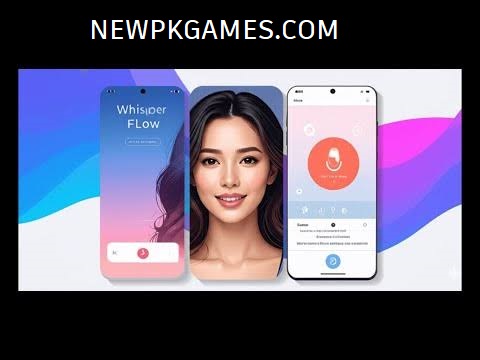
Wispr Flow is an AI-powered voice-to-text application that helps users turn spoken words into written text. This app allows users to instantly write any msg or letter using their voice commands.
What Is Wispr Flow APK?
Wispr Flow is an AI-powered dictation application developed by Wispr AI, Inc. This is a smart, latest Android application that allows you to convert spoken language into written text and helps make that text more readable.
No need to write a message or other content manually; everything will be automatically completed using your voice command. In addition to that, Wispr Flow offers several features that make voice typing more useful than simply recording spoken words.
How Does Wispr Flow Work?
- Open an application where you want to write.
- Activate the Wispr Flow floating bubble.
- Speak naturally into your phone’s microphone.
- Allow Flow to process your speech.
- Review the generated text and make any necessary corrections.
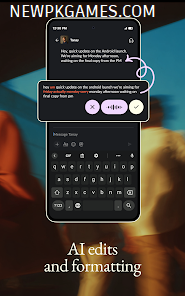
- Wispr Flow can remove unnecessary filler words.
- Improve punctuation to produce a cleaner message.
Key Features of Wispr Flow APK
AI-Powered Voice Typing
The main purpose of Wispr Flow is to help you write using your voice. You can dictate messages, emails, notes, and other text without manual writing.
Automatic Punctuation
Punctuation can be difficult when speaking into a basic speech recognition tool. Wispr Flow can detect suitable punctuation based on your speech and pauses. You can also speak punctuation commands when you want more control.
Removal of Filler Words
People often use expressions such as “um,” “uh,” and repeated words while speaking. These expressions are normal in conversation, but they can make written messages look unpolished.
Wispr Flow can remove many unnecessary filler words during transcription. This is useful when preparing professional emails, business messages, and written notes.
Real-Time Self-Corrections
Sometimes, people change their minds while speaking. Wispr Flow supports spoken self-corrections, allowing the application to update the text rather than simply preserving the original statement. This can make dictation feel more natural.
Support for Multiple Languages
Language support is another important feature for users who do not communicate exclusively in English. Wispr Flow advertises support for more than 100 languages across its product experience.
Floating Bubble Interface
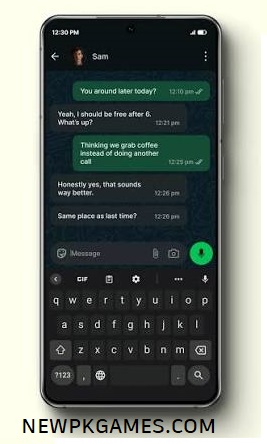
Wispr Flow for Android uses a floating bubble instead of replacing your existing keyboard. The bubble appears over supported applications and allows you to start voice dictation without constantly switching between keyboards. It is designed to make voice typing accessible wherever you are entering text.
Automatic List Formatting
Wispr Flow can recognize spoken numbered lists and format them into a more organized structure. The application can help organize this information into a readable list, although you should check the final formatting before sharing it.
Personal Dictionary and Customization
Names, technical expressions, company names, and unfamiliar words can be difficult for speech recognition systems. Wispr Flow includes dictionary features that allow users to add specialized vocabulary and improve consistency when writing.
How to download and install Wispr Flow APK on Android?
- Go to the top of this page
- Click on the download button
- Wait a momment; it will automatically download on your phone
- Go to your phone settings
- Enable Unknown Sources to permit the app
- Find the downloaded file
- Double-click on the file and wait a momment
- It will automatically install on your phone
How to Set Up Wispr Flow After Installation
Installing the application is only the first step. You must also complete its initial setup.
Step 1: Open the Application
Launch Wispr Flow and sign in using an available supported sign-in method.
Use the account you intend to keep using across your devices.
Step 2: Allow Microphone Access
The application needs microphone permission to capture your speech.
Allow this permission when prompted if you intend to use voice dictation.
Step 3: Enable the Floating Interface
Wispr Flow asks for permission to display over other applications.
This allows the floating bubble to appear while you are using a messaging app, browser, or document editor.
Step 4: Enable the Required Accessibility Service
The application also requires its main accessibility service to insert dictated text into supported fields.
Read the Android permission disclosure carefully before enabling it. Accessibility access is a significant permission because it can allow an application to interact with parts of the screen.
Step 5: Test Voice Typing
Open a simple text field and tap the Flow bubble.
Speak a short sentence, stop dictation, and check the result.
Benefits of Using Wispr Flow APK
- Wispr Flow may be useful in several everyday situations.
- Speaking can be more convenient than typing lengthy messages.
- Automatic punctuation and filler-word removal can make drafts easier to read.
- The floating interface allows you to dictate within supported applications.
- Bloggers and writers can dictate initial drafts and then edit them.
- Voice-based writing can reduce the need for repeated keyboard use.
- Supported languages can help users who communicate in more than one language.
However, these benefits depend on your device, speaking style, preferred language, and the accuracy of the transcription.
Pros and Cons of Wispr Flow
Pros
- AI-assisted speech-to-text
- Automatic punctuation
- Removes many filler words
- Works across supported applications
- Supports numerous languages
- Floating bubble simplifies access
- Personal dictionary and snippets
Cons
- Requires an internet connection
- May occasionally misunderstand speech
- Important text still needs proofreading
- Requires sensitive Android permissions
- Language support can vary by platform
- Some devices may not be compatible
- Initial setup requires several steps
Is Wispr Flow APK Safe to Use?
Safety depends on the authenticity of the application, the permissions you grant, and the way you handle sensitive information.
Before using the application, consider the following precautions:
- Download the app from a trusted source.
- Review the current privacy policy and Google Play data safety information.
- Understand why microphone, overlay, and accessibility permissions are requested.
- Avoid dictating passwords, payment information, or confidential business details.
- Review dictated text before sending it.
- Disable permissions you no longer need.
- Android’s official permission prompts are important. Do not approve sensitive permissions without understanding their purpose.
Best Use Cases for Wispr Flow
For Bloggers and Website Owners
Website owners can dictate article outlines, introductions, frequently asked questions, and rough drafts. For example, a blogger writing an Android app guide could speak the main points first and then edit the text for accuracy, originality, and SEO.
For Students
Students can use voice typing to draft notes, summarize their own ideas, and prepare study materials. They should still check the accuracy of the text, particularly when working with technical vocabulary or subject-specific terminology.
For Business Owners
Business owners can dictate customer replies, quotations, product descriptions, and follow-up messages.
This may be useful when handling many inquiries on a smartphone.
For Developers and Technology Professionals
Developers can dictate technical notes, explanations, and prompts for AI coding tools.
Specialized terms may require corrections or dictionary customization.
For People Who Find Typing Difficult
Voice typing can reduce the physical effort required to enter long passages of text.
The application may be useful for people who experience difficulty with repeated keyboard use, although individual accessibility needs and device compatibility vary.
Common Wispr Flow Problems and Solutions
The application does not appear in Google Play. Check your Android version, device compatibility, regional availability, and Google Play account settings.
The floating bubble does not appear.
Confirm that display-over-other-apps permission is enabled.
Dictated text does not appear.
Check whether the required accessibility service is active.
The application cannot recognize your voice.
Check your microphone, internet connection, and the permissions granted to the application.
The transcription contains mistakes.
Reduce background noise, speak clearly, and add unfamiliar terms to your dictionary when appropriate.
Conclusion
Wispr Flow APK is worth considering if you want to write using your voice rather than relying entirely on a smartphone keyboard. Its AI-assisted transcription, automatic punctuation, filler-word removal, self-correction support, and floating interface make it useful for messaging, blogging, business communication, and everyday note-taking.
Before installing the application, check that your device meets the Android requirements and that you are comfortable granting the permissions it needs.
FAQs
Can I use this app on an Android phone?
Yes, this app is designed for Android.
Is this app free for download?
Yes, you can free download this app.
Can I use this app without internet?
No, it needs an internet connection to use.