If you searched for Netfly TV APK, you probably know a little bit about this app. This is a new version of a smart application that lets you watch television or other streaming content on your phone, TV box, Android TV, or Fire TV device.
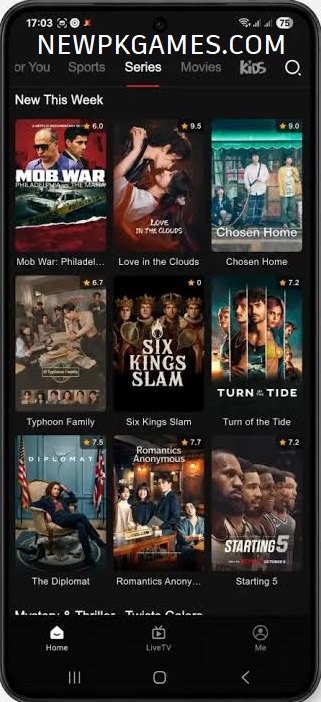
This guide explains what Netfly TV APK means, what features may be available, how installation works, which devices are supported, and how to avoid common APK problems.
What Is Netfly TV APK?
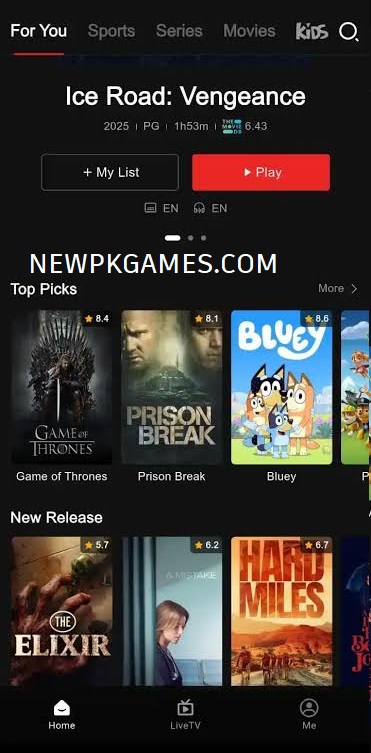
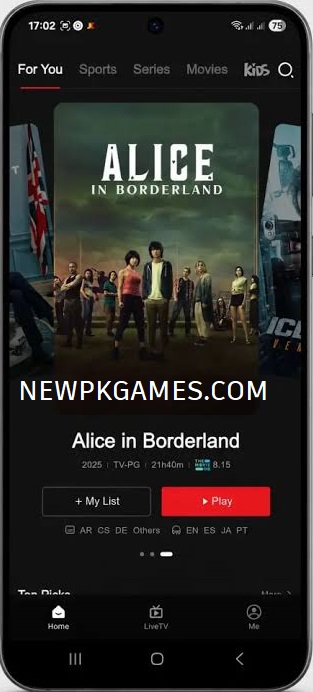
Netfly TV APK is a smart TV application that allows you to watch 1000+ channels, live streaming, and other video content on your smartphone. You can watch 4K videos and enjoy the entertainment. This is a portable TV that you can carry everywhere, installed on your phone.
Netfly TV APK Features
Android TV Support
The application has been designed for Android TV-based devices. This includes Android Smart TVs and Android TV boxes. The interface is intended for a television screen rather than a small phone display.
Fire TV Compatibility
The listed unified TV version supports Amazon Fire TV and Fire TV Stick devices. This is useful for people who prefer watching streaming content through a television rather than holding a phone.
Remote-Friendly Controls
A major difference between a mobile application and a TV application is navigation. The latest version build includes remote-control key adaptation for Fire TV and Android TV remotes.
That means the application is designed around the directional buttons and selection controls normally found on a TV remote.
Large-Screen Interface
The large-screen interface automatically adapts to different TV resolutions. A TV-oriented interface can make menus easier to read from a distance.
Low-Memory Optimization
The TV build includes optimization for entry-level TV boxes with limited memory.
Media Player Functionality
The application has extensive media player functionality that users can enjoy the wonderful feature.
Netfly TV APK Compatibility
Compatibility depends on the specific build.
For the large-screen release documented by the repository, supported environments include:
Device| Compatibility information
Amazon Fire TV| Supported by unified TV build
Fire TV Stick| Supported
Android TV| Supported
Android TV Box| Supported
Android Smart TV| Supported when Android TV-based
Android phone| Requires the appropriate mobile build
Android tablet| Depends on the available tablet build
Windows PC| Not a native Android installation
iPhone/iPad| APK files are not supported
The important point is that an Android APK is not automatically compatible with every smart TV.
Samsung TVs commonly use Tizen, while LG Smart TVs use webOS. Those systems do not normally install Android APK files directly.
How to Download Netfly TV APK Safely?
- Go to the top of this page
- Click on the download button
- Wait a momment; it will redirect you to the second page
- Click the download button will automatically download on your phone
How to Install Netfly TV APK on Android?
Step 1: Download the APK
Save the correct APK to your Android phone, tablet, TV box, or other compatible device.
Step 2: Open the File
Go to your Downloads folder or file manager and select the APK.
Step 3: Allow Installation When Required
Android may display a security message because the application is being installed outside the normal app store.
Only grant installation permission to a source you trust.
Step 4: Install the Application
Follow the Android installation prompts.
Step 5: Open Netfly
Once installation finishes, open the application and follow its own setup instructions.
How to Install Netfly TV APK on Fire TV?
For Fire TV users, the documented Netfly TV process involves using Downloader.
The general process is:
1. Open the app store on your Fire TV.
2. Install Downloader.
3. Enable installation permission when Android/Fire OS requests it.
4. Enter the official release URL supplied by the application publisher.
5. Download the APK.
6. Install it.
7. Open Netfly from your installed applications.
The public repository specifically documents Downloader-based installation for its TV package.
Never enter random download codes from unknown websites without checking where they lead.
Pros and Cons of Netfly TV APK
Pros
- Android-based installation can be convenient.
- A dedicated TV build can provide better remote navigation.
- The documented TV client supports Android TV and Fire TV environments.
- Large-screen optimization can improve usability.
- APK installation provides an alternative when an application is distributed outside a normal app store.
Cons
- The Netfly name is used by multiple applications.
- APK downloads from unknown websites can create security risks.
- Compatibility varies between devices.
- An APK does not automatically work on Samsung Tizen or LG webOS.
- Some Netfly-branded apps require external playlists or credentials.
- Version information on third-party websites may be inaccurate.
Common Netfly APK Problems
APK Won’t Install
The file may be incompatible with your Android version or architecture, corrupted, or not intended for your device.
Download the correct build rather than repeatedly trying the same file.
App Crashes
Try restarting the device and checking whether a newer compatible release exists. Low RAM can also affect streaming applications.
Remote Does Not Work
If you installed a mobile-oriented APK on a TV box, the interface may not be optimized for remote navigation. Use the TV-specific build when one is available.
Netfly Shows No Content
Some Netfly-branded media-player applications require an M3U playlist or Xtream credentials. Google Play’s Netfly TV listing explicitly explains that it is a media player and does not contain pre-loaded media.
Streaming Buffers
Buffering is not always an application problem. Check:
- Internet speed
- Wi-Fi signal
- Router location
- Device performance
- Server availability
- Video quality settings
Tips for a Better Streaming Experience
Use a stable Wi-Fi connection or Ethernet whenever your TV box supports it. Keep sufficient free storage on your device and remove applications you no longer use. Avoid installing multiple unknown streaming APKs simply to find one that works. Every additional unknown application increases your security exposure.
Final Thoughts
The Netfly TV APK is the latest smart TV application that lets you watch more than 1000+ channels on your smartphone. It also allows you to watch live TV and other streaming channels. So download and install the app on your phone and enjoy the latest TV channels on your phone.
Frequently Asked Questions
1. What is Netfly APK?
Netfly APK is a Netfly-branded streaming or TV application that allows you to watch all types of TV channels on your phone.
2. Is Netfly APK available for Android TV?
Yes, a public Netfly repository documents a unified TV build for Android TV-based devices, Fire TV, and Android TV boxes. The repository currently identifies v3.0.3 for its TV package.
3. Can I install Netfly APK on Samsung Smart TV?
A normal Android APK cannot generally be installed directly on Samsung’s Tizen operating system. You may need a compatible external Android TV device if the particular Netfly application requires Android.
4. Does Netfly TV include channels automatically?
Not necessarily. The Google Play listing for the Netfly TV app describes it as a media player that accepts M3U playlists and Xtream credentials and says that it does not contain pre-loaded media.
5. Is every Netfly APK download online official?
No. The search results contain multiple third-party download pages and several different applications using similar names. Always verify the publisher and package before installing an APK.